An unexpected increase in network traffic raises questions. Is it a scheduled transfer, a change in application workload or activity that needs closer investigation?
For network engineers, NetOps teams and SOC analysts, traffic volume is only the starting point. Understanding the cause requires context: which systems were involved, where traffic was going and what else changed.
Two documented incidents show why that distinction matters.
GitHub: a traffic surge caused by a DDoS attack
On 28 February 2018, GitHub experienced a distributed denial-of-service attack that peaked at 1.35 Tbps.
GitHub’s monitoring detected an unusual relationship between incoming and outgoing traffic and alerted its engineers. The team subsequently moved traffic through its DDoS mitigation provider, restoring service.
The investigation involved more than identifying high traffic volume. The imbalance between inbound and outbound traffic provided an important signal about what was happening.
What to ask: Has the balance between incoming and outgoing traffic changed? Which protocols, sources and destinations account for the increase?
Cloudflare: traffic concentrated by a routing error
On 17 July 2020, a configuration error caused Cloudflare’s backbone traffic to converge on a router in Atlanta, overwhelming it. The resulting outage lasted 27 minutes.
Cloudflare reported that the change had been intended to alleviate congestion. Instead, it redirected backbone traffic towards Atlanta.
This illustrates a different cause of unexpected load: a network configuration change concentrating traffic in one location.
What to ask: Were routing, configuration or maintenance changes made before the increase? Did traffic move between paths or locations?
Look beyond the spike
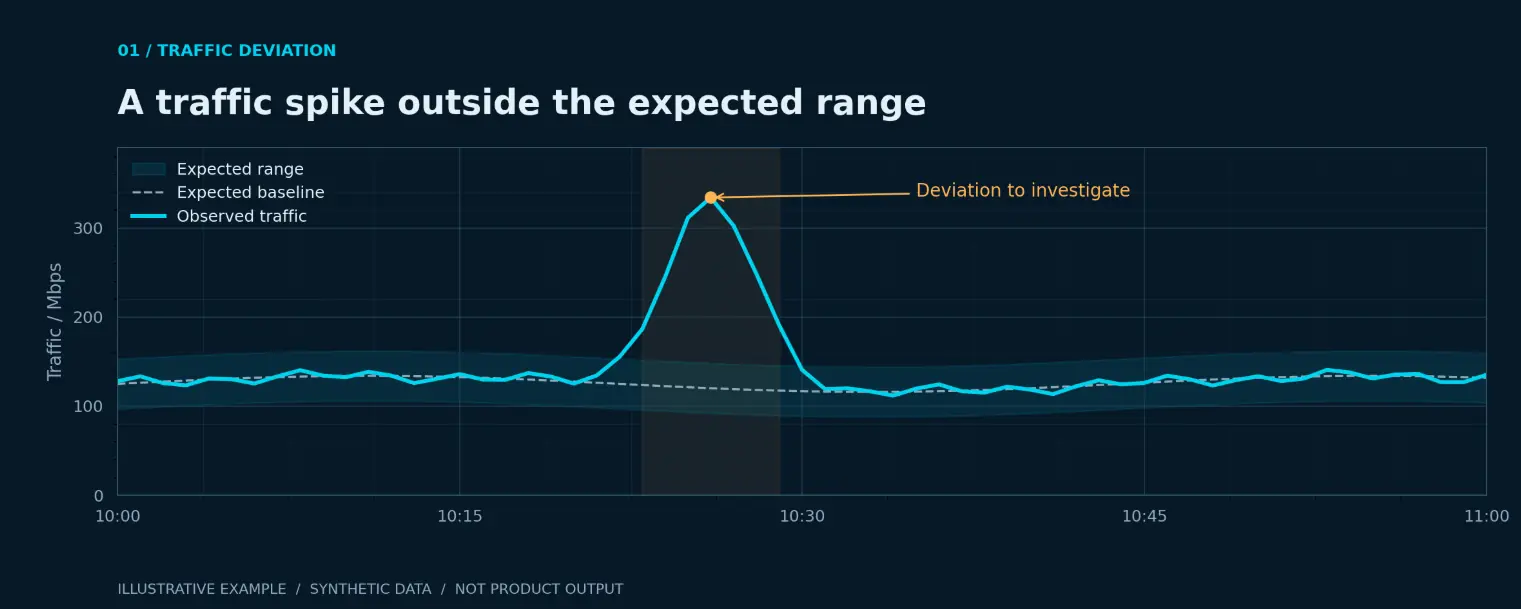
These incidents had different causes and required different responses. A traffic graph can highlight a change, but further evidence is needed to explain it.
When investigating an unusual spike, check:
- Timing: Does it match a backup, deployment or scheduled task?
- Systems: Which hosts and applications contributed?
- Destinations: Were communication patterns expected?
- Network changes: Were routes or configurations modified?
- Related signals: Did latency, packet loss or errors change?
- Recurrence: Is this an isolated event or a repeating pattern?
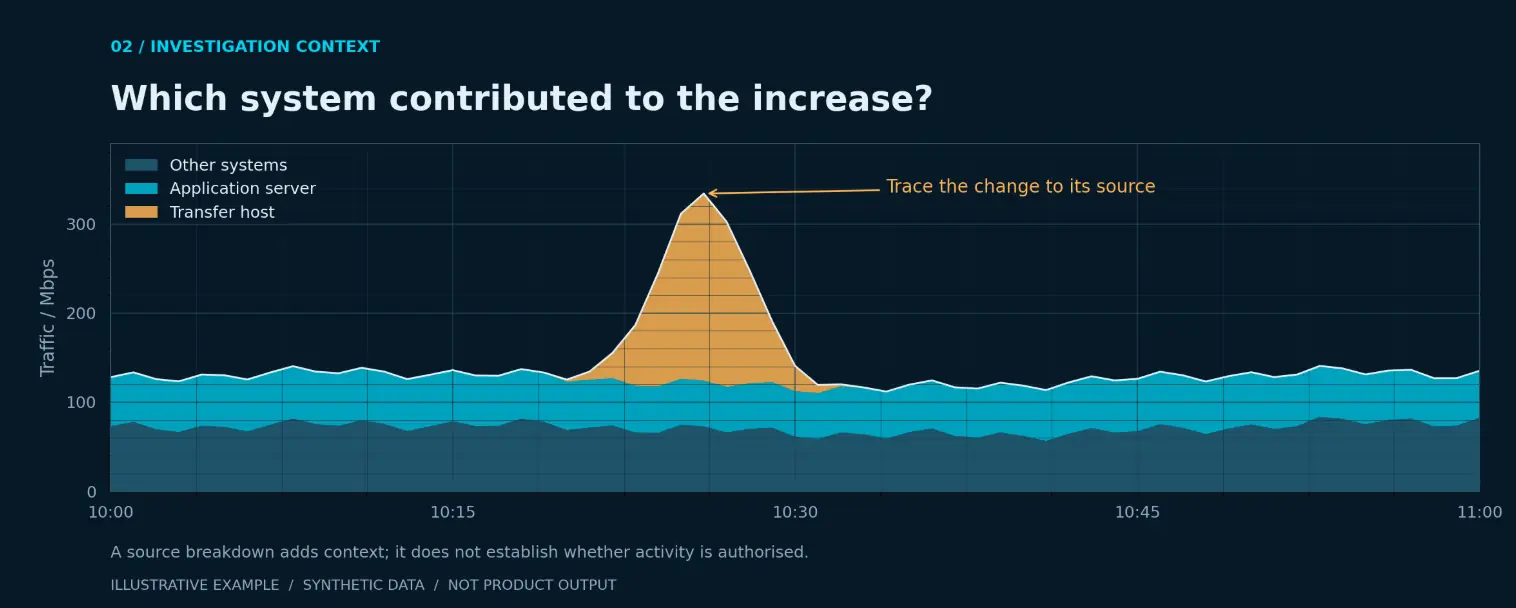
Comparing observed traffic with model predictions can help highlight deviations worth examining. It does not, by itself, establish an attack or a performance failure.
Bring network and security context together
IntSOC combines network observability with AI-powered Network Detection and Response to help teams examine network behaviour and investigate anomalies.
The objective is to understand what changed and give the team enough context to decide what to investigate next.
Seeing unexplained traffic spikes?
Contact the Telesoft team to discuss your network visibility and investigation needs.
Contact us →
Go Back